[ez-toc]
Demystifying the Maze: Understanding Customer Premises Equipment (CPE)
A. The Unsung Hero of Your Home Network: What Exactly is CPE?
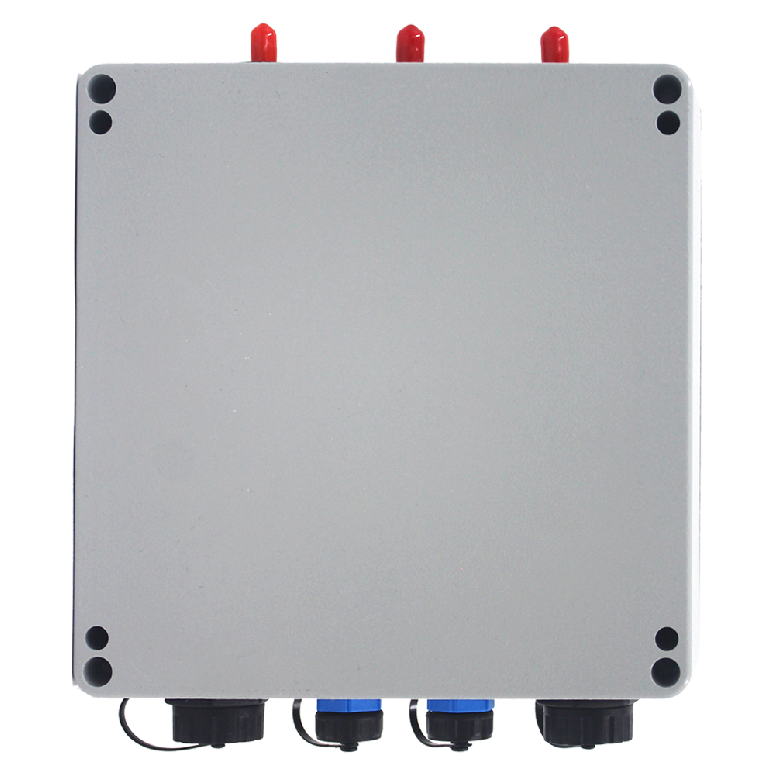
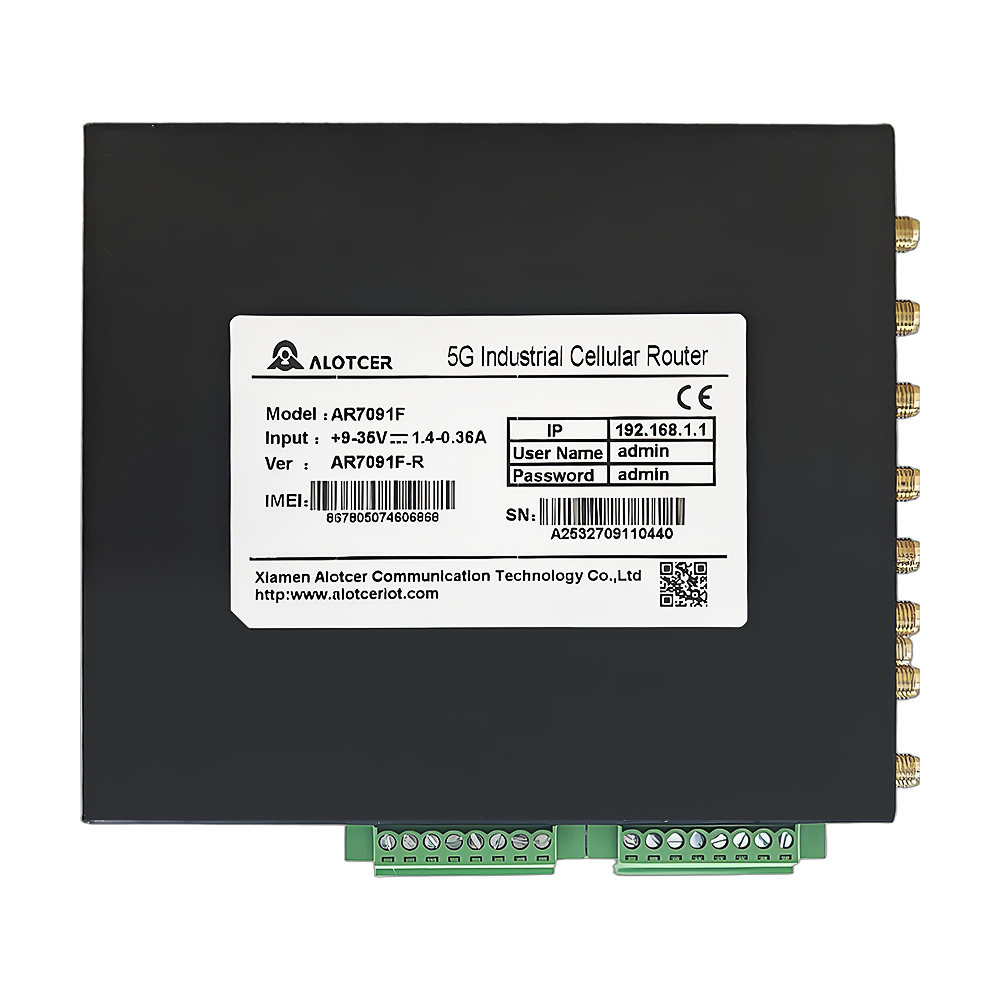
Customer Premises Equipment (CPE) might sound like technical jargon, but it’s an essential part of your internet experience. Essentially, CPE refers to any equipment installed on the customer’s premises that connects to the ISP’s network. These devices include modems, routers, and gateways, which work together to provide you with internet access. Think of CPE as the bridge between your home network and the wider internet, enabling your devices to communicate with the world.
Understanding the role of CPE is crucial because it directly affects your internet performance, reliability, and overall user experience. Whether you’re streaming your favorite shows, working from home, or engaging in online gaming, the quality of your CPE can make or break your connection.
B. Common Types of CPE Devices: (Routers, Modems, Gateways)
- Modems
- Functionality: Modems are responsible for translating the digital data from your ISP into a format that can be used by your home network. They convert the signals from your ISP (cable, DSL, fiber) into Ethernet signals that your router can understand.
- Importance: Without a modem, your home devices wouldn’t be able to connect to the internet. It’s the first line of connection from your ISP to your home network.
- CPE Routers
- Functionality: Routers distribute the internet connection from your modem to various devices within your home, either via wired Ethernet cables or wirelessly through Wi-Fi. They manage traffic, ensuring that data packets reach their correct destinations efficiently.
- Importance: A good router can significantly impact the speed and reliability of your internet connection, affecting everything from streaming quality to online gaming performance.
- Gateways
- Functionality: Gateways are hybrid devices that combine the functions of both a modem and a router. They simplify the setup process by consolidating two essential devices into one.
- Importance: Gateways are convenient for those looking to minimize equipment and simplify their home network setup. However, they may not offer the same level of performance and customization as separate, dedicated devices.

The Good, the Bad, and the Bandwidth Bottleneck: How CPE Affects Your Internet Experience
A. The Power of Quality CPE: Unlocking Faster Speeds and Reliable Connections
Investing in high-quality CPE can drastically improve your internet experience. Here’s how:
- Speed Enhancement:
- Modern Technology: Advanced CPE devices support the latest technologies like Wi-Fi 6, which offers faster speeds, greater capacity, and improved efficiency. This means your internet can handle more devices simultaneously without slowing down.
- Bandwidth Management: Quality routers come with features like Quality of Service (QoS), which prioritizes bandwidth for critical applications, ensuring smooth streaming and gaming experiences.
- Reliability:
- Stable Connections: High-quality CPE reduces the chances of dropped connections and ensures consistent performance. This stability is crucial for activities that require a steady connection, such as video calls and online gaming.
- Range and Coverage: Advanced routers and mesh systems provide better coverage, eliminating dead zones in your home and ensuring you have a strong signal in every room.
B. The Downside of Outdated CPE: Bottlenecks and Frustrating Performance Issues
On the flip side, using outdated or low-quality CPE can lead to several issues:
- Speed Limitations:
- Outdated Standards: Older modems and routers may not support the latest internet speeds provided by your ISP, creating a bottleneck that slows down your entire network.
- Limited Bandwidth: Outdated devices often struggle to handle multiple devices at once, leading to slow speeds and buffering, especially during peak usage times.
- Reliability Issues:
- Frequent Disconnects: Older equipment is more prone to connection drops and interruptions, causing frustration and potentially disrupting important activities.
- Poor Coverage: Weak signal strength and limited range can result in dead zones where the Wi-Fi signal is weak or nonexistent, affecting your ability to stay connected throughout your home.
Lifting the Lid on ISP-Provided CPE: A Critical Look
A. The Convenience Factor: Advantages of Using Your ISP’s Equipment
Many ISPs offer rental options for CPE devices, which can be quite convenient for several reasons:
- Ease of Setup:
- Pre-Configured Devices: ISP-provided CPE comes pre-configured to work with your specific internet plan, making the setup process straightforward and hassle-free.
- Technical Support: When you use equipment from your ISP, you benefit from their technical support. If you encounter any issues, the ISP can remotely troubleshoot and resolve problems.
- Cost and Flexibility:
- Rental Options: Renting CPE from your ISP can be more cost-effective in the short term, especially if you’re not ready to invest in high-end equipment upfront.
- Upgrades and Replacements: ISPs often offer free upgrades and replacements for their rented equipment, ensuring you always have access to the latest technology.
B. Potential Limitations: Exploring Downsides of Renting ISP-Provided CPE
However, there are notable downsides to relying solely on ISP-provided equipment:
- Outdated Technology:
- Lagging Behind: ISPs may not always provide the latest models, meaning you could be using outdated equipment that doesn’t support the fastest speeds or most recent features.
- Performance Issues: Older devices are more likely to experience performance issues, such as slower speeds and poor coverage.
- Limited Features:
- Restricted Customization: ISP-provided CPE often lacks advanced features and customization options that are available in higher-end models. This can limit your ability to optimize your network for specific needs.
- Additional Costs: Over time, the cost of renting equipment can add up, potentially exceeding the cost of purchasing your own high-quality CPE.
Taking Control: Exploring the World of Owned CPE
A. Unlocking Customization: Benefits of Owning Your Own CPE Device
Owning your own CPE device provides several advantages that can significantly enhance your internet experience:
- Greater Control:
- Customization: With your own CPE, you have full control over your network settings. This allows you to optimize your network for your specific needs, such as prioritizing bandwidth for gaming or streaming.
- Advanced Features: Many high-end routers offer advanced features such as guest networks, parental controls, and detailed traffic monitoring, giving you more control over your network.
- Performance:
- Cutting-Edge Technology: When you buy your own equipment, you can choose devices that support the latest technologies, ensuring you get the fastest speeds and best performance.
- Reliability: Higher-quality devices are built to provide more reliable connections, reducing the risk of interruptions and downtime.
B. Choosing the Right Weapon: Factors to Consider When Buying Your Own CPE
When selecting your own CPE device, consider the following factors:
- Compatibility:
- ISP Compatibility: Ensure that the CPE device you choose is compatible with your ISP and internet plan. Some ISPs have specific requirements for the modems and routers they support.
- Technology Standards: Look for devices that support the latest standards, such as DOCSIS 3.1 for cable modems or Wi-Fi 6 for routers, to future-proof your network.
- Budget:
- Cost vs. Features: Balance your budget with the features you need. While high-end devices offer advanced capabilities, you might find mid-range models that meet your requirements without breaking the bank.
- Long-Term Investment: Consider the long-term savings of owning your equipment versus renting from your ISP. Over time, the initial investment can pay off in improved performance and reduced rental fees.
- Technical Needs:
- User-Friendly: If you’re not tech-savvy, look for devices with user-friendly interfaces and easy setup processes. Some routers offer mobile apps that simplify configuration and management.
- Advanced Configuration: For power users, consider devices with advanced configuration options and features like VPN support, QoS settings, and detailed traffic analytics.
CPE on Steroids: Exploring High-Performance Options for Power Users
A. Mesh Networking Systems: Eliminating Dead Zones and Blanketing Your Home in Wi-Fi
Mesh networking systems have revolutionized home Wi-Fi by providing seamless coverage throughout your entire home:
- Coverage:
- Whole-Home Wi-Fi: Mesh systems use multiple nodes placed around your home to create a single, unified network. This eliminates dead zones and ensures a strong signal in every room.
- Scalability: You can easily expand your network by adding more nodes, making mesh systems ideal for large homes or properties with challenging layouts.
- Performance:
- Seamless Roaming: Mesh networks allow devices to switch seamlessly between nodes as you move around your home, ensuring a consistent connection without interruptions.
- Bandwidth Management: Many mesh systems intelligently manage bandwidth to prioritize important tasks, such as streaming or video calls, ensuring optimal performance.
B. Gaming Routers: Prioritizing Bandwidth and Latency for a Lag-Free Gaming Experience
For serious gamers, investing in a gaming router can make a significant difference:
- Performance:
- Low Latency: Gaming routers are designed to minimize latency, which is crucial for fast-paced online gaming. Features like QoS prioritize gaming traffic to reduce lag.
- High Bandwidth: These routers often come with powerful hardware and multiple antennas to handle high-bandwidth tasks, ensuring smooth gameplay even during peak usage times.
- Customization:
- Advanced Features: Gaming routers offer features like customizable QoS settings, traffic prioritization, and gaming modes to optimize your network for gaming.
- Monitoring Tools: Many gaming routers come with detailed monitoring tools that allow you to track network performance, bandwidth usage, and device activity.
Future-Proofing Your Network: Considering Next-Generation Technologies in CPE
A. Wi-Fi 6 and Beyond: Unlocking Faster Speeds and Improved Efficiency with Newer Wi-Fi Standards
As technology evolves, so do Wi-Fi standards. Wi-Fi 6 (802.11ax) is the latest generation, offering significant improvements over its predecessors:
- Speed and Efficiency:
- Faster Speeds: Wi-Fi 6 offers faster data rates, making it ideal for activities that require high bandwidth, such as 4K streaming and online gaming.
- Improved Efficiency: It introduces features like OFDMA and MU-MIMO, which allow multiple devices to share the same channel more efficiently, reducing congestion and improving performance in busy environments.
- Capacity:
- More Devices: Wi-Fi 6 is designed to handle a higher number of devices simultaneously, making it perfect for smart homes with numerous connected gadgets.
- Better Coverage: Enhanced range and penetration ensure a strong signal throughout your home, even in areas that were previously challenging to cover.
B. Multi-Gigabit Support: Gearing Up for the Future of Blazing-Fast Internet Speeds
As internet speeds continue to increase, multi-gigabit support is becoming more important:
- Speed:
- Gigabit and Beyond: Modern CPE devices support speeds well beyond the traditional gigabit threshold, ensuring you’re ready for the fastest internet plans available.
- Future-Proofing: Investing in equipment with multi-gigabit support ensures your network can handle future speed upgrades without needing new hardware.
- Performance:
- Enhanced Hardware: Devices with multi-gigabit support often come with powerful processors and advanced features to manage high-speed data effectively.
- Optimized Connections: Features like link aggregation allow you to combine multiple Ethernet ports for even higher speeds and better redundancy.
The Great CPE Debate: Renting vs. Owning – Making the Right Choice for You
A. Budget Considerations: Weighing the Cost of Buying vs. Renting CPE Over Time
When deciding whether to rent or buy your CPE, it’s essential to consider the long-term costs:
- Initial Investment:
- Upfront Costs: Buying your CPE requires an initial investment, which can be significant depending on the equipment you choose.
- Rental Fees: Renting may seem cheaper upfront, but monthly rental fees can add up over time, often surpassing the cost of purchasing your own device.
- Long-Term Savings:
- Cost Analysis: Calculate the total cost of renting over several years compared to the one-time purchase price of owning your equipment.
- Value for Money: Consider the added benefits of owning your device, such as improved performance, advanced features, and the ability to upgrade as needed.
B. Technical Expertise: Assessing Your Comfort Level with Configuration and Troubleshooting
Your technical expertise and comfort level with network setup and troubleshooting should influence your decision:
- Ease of Use:
- ISP Support: ISP-provided equipment often comes with customer support, making it easier to set up and troubleshoot issues without technical knowledge.
- User-Friendly Devices: Many modern CPE devices are designed to be user-friendly, with intuitive interfaces and easy setup processes.
- Advanced Configuration:
- Customization Needs: If you require advanced network settings, such as QoS, VPNs, or detailed traffic monitoring, owning your equipment provides the flexibility to configure these features.
- Technical Know-How: Assess your ability to handle potential issues. While owning your CPE offers more control, it also means you’re responsible for troubleshooting and maintenance.
Upgrading Your Armor: Signs You Need to Rethink Your CPE
A. Slow Speeds and Buffering: Is Your Current CPE Struggling to Keep Up?
If you’re experiencing slow speeds and buffering, it might be time to upgrade your CPE:
- Performance Issues:
- Outdated Technology: Older modems and routers may not support the speeds provided by your ISP, causing bottlenecks in your network.
- Insufficient Bandwidth: As more devices connect to your network, outdated CPE may struggle to provide adequate bandwidth, leading to slow speeds and buffering.
- Testing and Diagnosis:
- Speed Tests: Conduct regular speed tests to determine if your CPE is delivering the speeds promised by your ISP.
- Device Performance: Monitor the performance of your devices to identify whether the CPE is the source of the problem.
B. Limited Coverage: Are There Dead Zones Plaguing Your Wi-Fi Signal?
Dead zones in your home can be a sign that your current CPE isn’t providing adequate coverage:
- Coverage Issues:
- Weak Signal: If certain areas of your home have weak or no Wi-Fi signal, your router might not be powerful enough to cover the entire space.
- Interference: Physical obstructions and interference from other electronic devices can also affect your Wi-Fi coverage.
- Solutions:
- Mesh Systems: Consider upgrading to a mesh network system, which uses multiple nodes to eliminate dead zones and provide seamless coverage.
- Range Extenders: Wi-Fi extenders can boost the signal in specific areas, though they may not offer the same performance as a full mesh system.
C. Security Concerns: Does Your CPE Offer the Latest Security Features to Protect Your Network?
Network security is more important than ever, and outdated CPE can leave you vulnerable:
- Security Risks:
- Outdated Firmware: Older devices may not receive regular firmware updates, leaving them vulnerable to security threats.
- Weak Encryption: Ensure your CPE supports strong encryption standards, such as WPA3, to protect your network from unauthorized access.
- Upgrading for Security:
- Firmware Updates: Regularly update your CPE’s firmware to protect against security vulnerabilities.
- Advanced Security Features: Look for devices with built-in security features, such as firewalls, VPN support, and parental controls, to enhance your network’s protection.
FAQ
A. Is it always better to buy my own CPE instead of renting from my ISP?
It depends on your needs and budget. Owning your CPE offers more control and potentially better performance, but renting provides convenience and support from your ISP.
B. What technical specifications should I consider when buying a new CPE device?
Look for compatibility with your ISP, support for the latest standards (such as Wi-Fi 6), and features like QoS, advanced security, and multiple Ethernet ports.
C. Can I use any CPE device with my current internet plan?
Not all devices are compatible with every ISP. Check with your provider to ensure the CPE you choose will work with your internet plan.
D. Who is responsible for troubleshooting issues with my CPE?
If you own your CPE, you’re responsible for troubleshooting. If you rent from your ISP, they typically provide support and troubleshooting assistance.
E. Where can I find reliable information and reviews on different CPE options?
Tech review websites, forums, and customer reviews on retailer sites like Amazon are good places to start. Additionally, check manufacturer websites for detailed specifications and features.
Conclusion: Empowering Your Choice – Selecting the Right CPE for Optimal ISP Transmission
A. Recap: Understanding the Impact of CPE on Your Internet Experience
Customer Premises Equipment (CPE) plays a vital role in your internet experience. It affects your connection speed, reliability, and overall performance. Understanding the types of CPE devices and their functions helps you make informed decisions about your home network setup.
B. The Importance of Matching Your Needs with the Right CPE Solution
Choosing the right CPE involves balancing your technical needs, budget, and comfort level with network management. Whether you opt for ISP-provided equipment or invest in your own high-performance devices, it’s crucial to select CPE that meets your specific requirements.
C. Investing in a Future-Proof Network: Enjoying a Smooth and Reliable Connection for Years to Come
Investing in quality CPE ensures a smooth and reliable internet experience now and in the future. By considering factors such as compatibility, performance, and security, you can build a network that supports your needs and adapts to evolving technologies.